POS software for hospitality

Every order.
One POS system.

Whether guests order at the counter, at the table, on a kiosk, via a QR code, on your own website or through a delivery platform: everything comes together in ZeekerPOS. ZeekerPOS takes no commission per order.

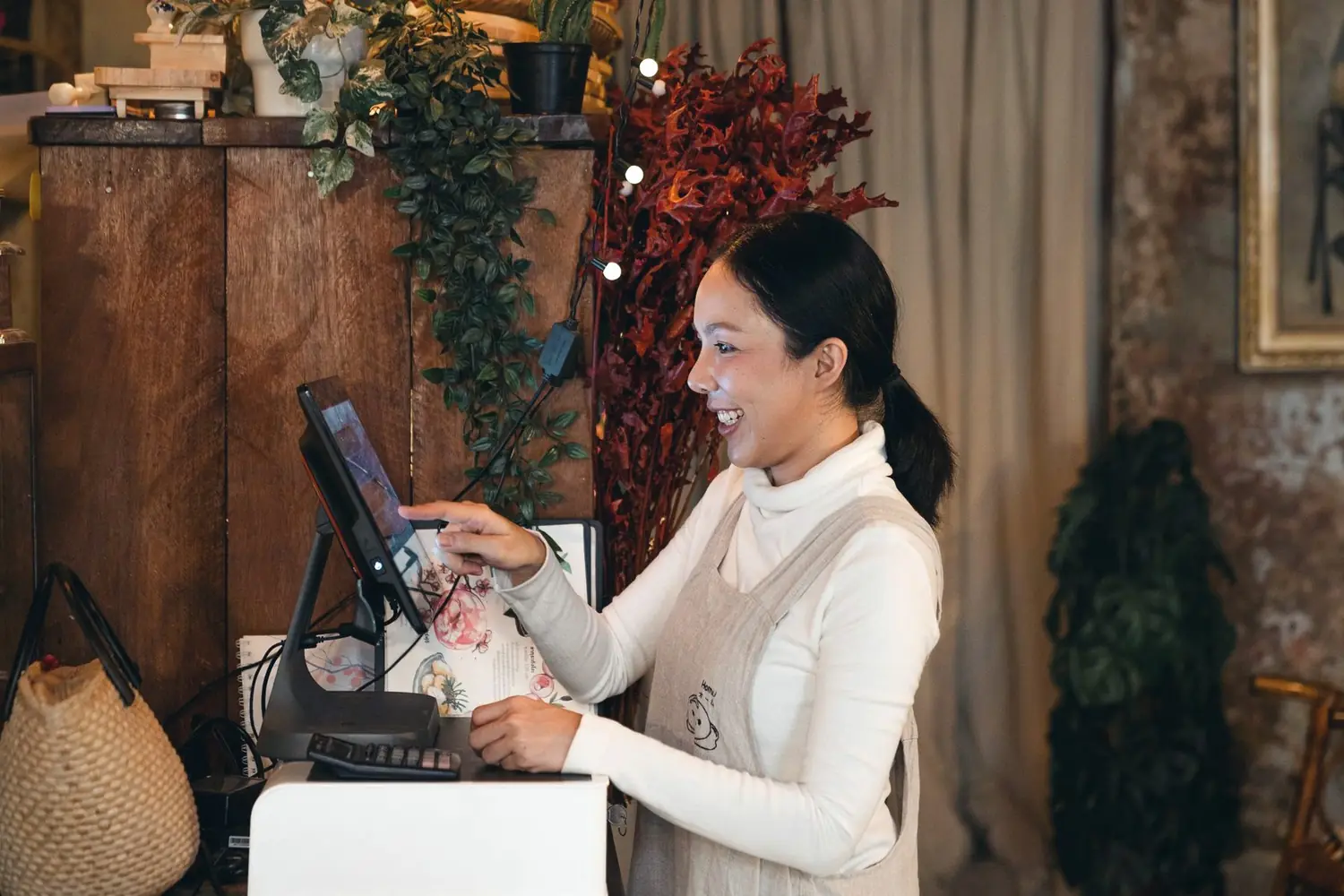
A staff member at a restaurant counter using a POS tablet
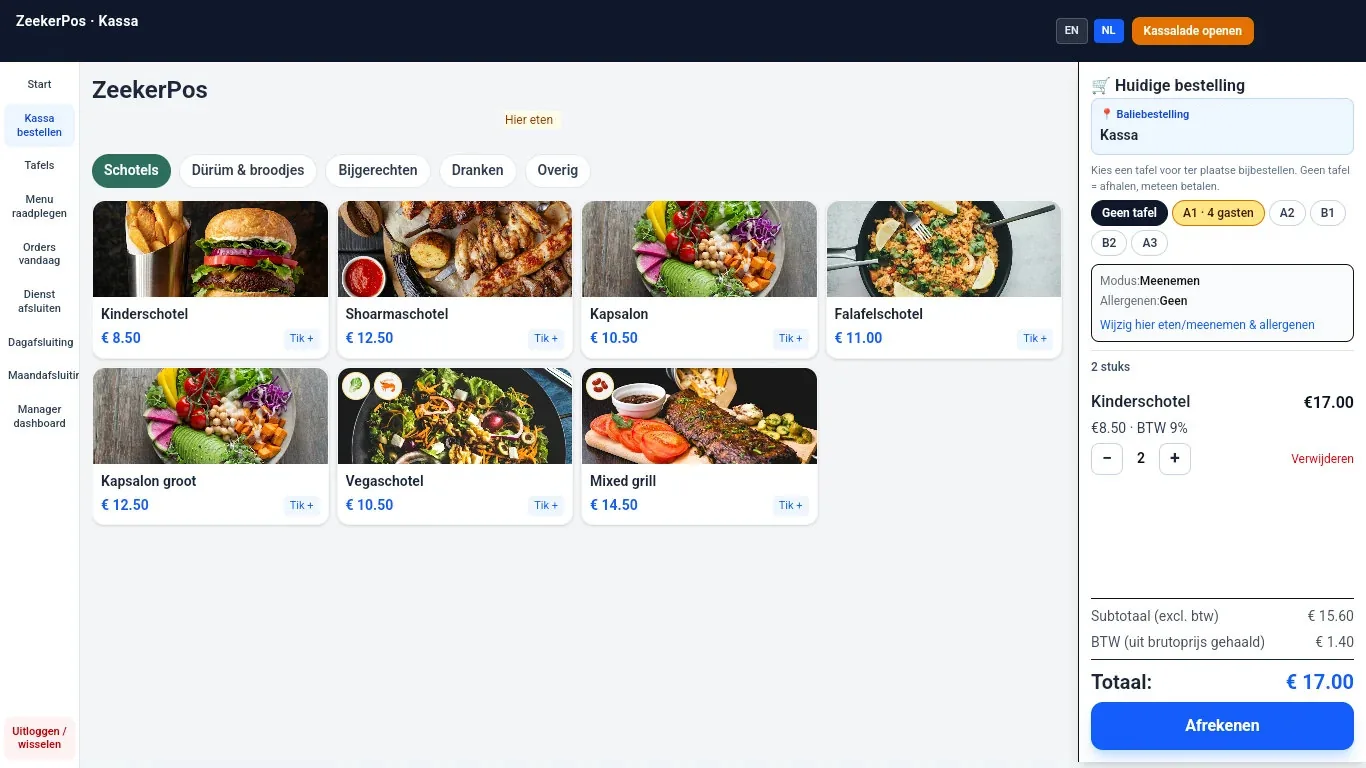
ZeekerPOS cashier screen showing menu cards and a current order
Counter POS

One POS. Every channel.

Your team works from a single overview. The kitchen sees a single stream. No separate apps that you have to stitch together later.

  1. 1
    OrderAt the cashier, on the handheld, at the kiosk, via QR, on your own website or through a delivery platform.
  2. 2
    CollectEvery order lands in the same POS, regardless of the channel.
  3. 3
    PrepareThe kitchen display shows what to make, without a pile of loose tickets.
  4. 4
    FinishThe call-number screen shows when an order is ready. Payment happens at the cashier, which can be connected to your card terminal.

Features

From the counter to the kitchen, and from the table to delivery.

This is what ZeekerPOS already does today. Working features, not a roadmap.

A cafe staff member looking at a tablet behind the counter
ZeekerPOS cashier screen showing menu cards and a current order
Cashier

Cashier POS

Take orders and get paid at the counter.

The cashier is the heart of ZeekerPOS. Your team takes orders, takes payment and prints a receipt. The cashier can be connected to your card terminal. Orders from other channels appear in the same overview.

  • Counter orders for dining in or takeaway
  • Can be connected to your card terminal
  • Receipt printing
  • Every channel comes together here
A waiter taking an order on a handheld at a set table
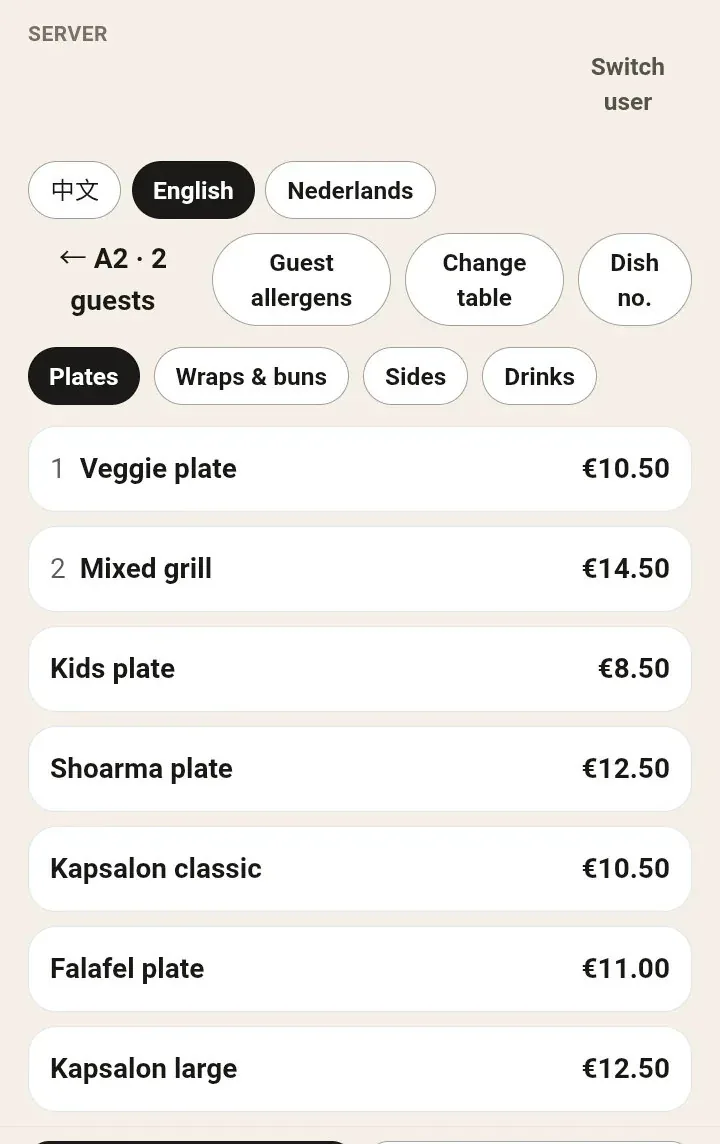
ZeekerPOS handheld screen showing a table menu list
Tableside

Handheld

Your team takes the order at the table.

With the handheld, staff walk the floor. Orders, changes and extra rounds go straight into the system — the same menu, the same POS.

  • Order at the table, including further rounds
  • The same menu and prices as the cashier
  • No retyping from notepads
ZeekerPOS self-service kiosk showing a Dutch menu in two columns with dish photos

Self-service kiosk

Guests order themselves, even in the rush.

At the kiosk, guests choose their dishes on a large screen and send the order straight through. That takes pressure off the counter, without a separate piece of software.

  • Self-ordering on a large portrait screen
  • A good fit for fast casual and pickup
  • The order arrives on the same POS
A cook stirring meat in a wok on a gas range in a professional kitchen
ZeekerPOS kitchen display with live tickets in three columns: to do, in progress and ready

Kitchen display (KDS)

The kitchen sees what to make.

As soon as an order comes in, it appears on the kitchen display. You don’t need a kitchen printer. If you still want to use one, you can. The kitchen display can be set to its own language — the one the cooks know best — separately from the rest of the system.

  • Live tickets from every ordering channel
  • Works without a kitchen printer
  • A printer remains optional
A guest waiting under a Pick up here sign at a restaurant counter
ZeekerPOS call-number screen with numbers waiting and numbers ready for pickup

Call-number screen

Guests can see when their number is ready.

The call-number screen hangs at the pickup counter. When an order is ready, the number moves to “ready” — clear for the guest, calmer for your team.

  • Numbers in progress and numbers that are ready
  • Made for the pickup counter or pass
  • The same system as the cashier and kitchen
Restaurant tables with small QR stands ready to scan QR at the table

QR ordering

Scan at the table, order on a personal phone.

A QR code on the table opens the menu. Guests order themselves, with no app to install. The order arrives where the rest arrive: in ZeekerPOS.

  • A QR code per table
  • Ordering in the guest’s browser
  • Less walking back and forth during service
yourvenue.nl/order

Example of a venue ordering site

Illustration only, not a live venue.

Webshop

Your own website

Your own site, with real online ordering.

Alongside the venue itself, you can take pickup and delivery orders through your own website. Not a separate island: these orders arrive in the same POS too.

  • Order through your own website
  • For pickup and delivery
  • Joins the other channels in ZeekerPOS
A staff member in a shop packing a red delivery bag Delivery

Delivery platforms

Delivery platform orders can land in your POS too.

If you work with one or more delivery platforms, the kitchen does not need an extra screen. Those orders can arrive in ZeekerPOS, next to everything ordered in-house.

  • Can be connected to third-party delivery platforms
  • One overview for your team
  • The kitchen works from the same stream

Pricing

Three plans.
We take no commission.

You pay a fixed monthly price. On every plan: ZeekerPOS does not take a commission per order.

Cashier

€30/ month excl. VAT
  • Licence for 1 cashier terminal
  • Licence for 1 receipt printer
  • Can be connected to your card terminal
  • Receipt printing

ZeekerPOS does not take a commission per order.

Try it for free

Cashier + screens

€68/ month excl. VAT
  • Everything in the Cashier plan
  • Licence for 1 self-service kiosk
  • Licence for 1 kitchen display (KDS)
  • Licence for 1 call-number screen

ZeekerPOS does not take a commission per order.

Try it for free

The prices above are for the software, per venue per month, excluding VAT. ZeekerPOS does not take a commission per order; fees from your payment provider or delivery platforms are separate. Hardware is not included. Existing cashier terminals, printers, tablets or screens in your restaurant can continue to be used, but the ZeekerPOS team must first test them and confirm they work before they can be connected. Additional device licences can be added later.

Website building

A website for your restaurant, too.

We build two kinds of websites. The price depends on your specific needs.

Showcase website

A site to present your restaurant: the menu, opening hours, location and photos, on your own domain and easy to use on a phone.

  • Present your restaurant
  • Menu, opening hours and location
  • Photos
  • Your own domain
  • Mobile-friendly

The price depends on your specific needs.

Request a quote

Online ordering website

Guests order and pay on your restaurant’s own site. Orders go straight into the same ZeekerPOS cashier and kitchen.

  • Order and pay on your own website
  • Orders go straight to the cashier and kitchen in ZeekerPOS
  • ZeekerPOS takes no commission per order

The price depends on your specific needs.

Request a quote

Get started

Try ZeekerPOS for free

No need to book a demo. Tell us a little about your venue and we will get in touch so you can try ZeekerPOS for free.

Your email app should now open a draft.

If it does not, please send your request to info@zeekerpos.nl.

When you send it, your email app opens a message to info@zeekerpos.nl. Our privacy statement explains what we do with your details.